Card Maker for PKM (Poke Fan)
JoyCraft DigitalComics
4.14.01K Reviews
- Version
- 2.7.5
- Installs
- 1.00M
- Age Rating
- Teen
Screenshots
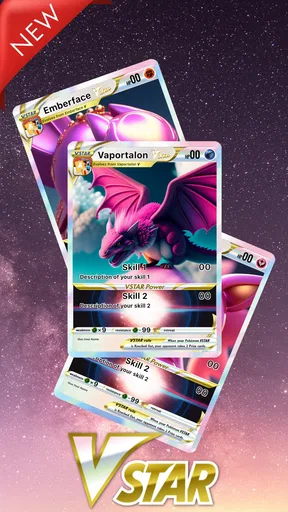
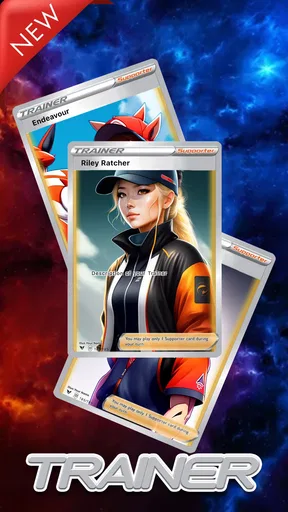
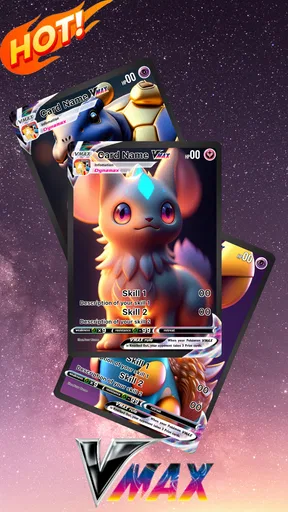
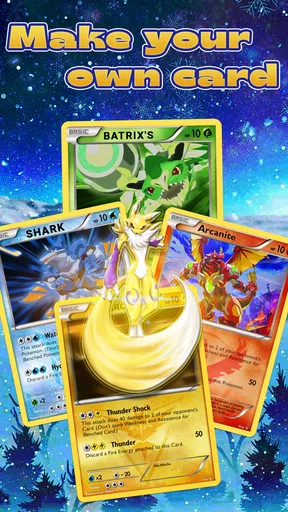
Our Review of Card Maker for PKM (Poke Fan)
 Analysis by Appyee
I find Card Maker for PKM most appealing when I want to turn a quick idea into a custom Pokémon-style card rather than build a polished design from scratch. It is a creative app for fans, not a replacement for a general-purpose graphics editor, and that distinction matters: its card-focused approach makes familiar designs easier to play with, while also setting limits on how much control I would expect from a full design suite.
What happens when you start making a card
Getting from an idea to a first draft should feel approachable even if you rarely edit images. The app is centered on making cards, so the useful question is not whether it can do everything a drawing program can, but whether it helps you make a recognizable card without a long setup. For a casual project, that focus is a real advantage: you can spend your attention on the character and its details instead of building a layout from a blank canvas.
A practical way to use it is to decide on the card’s concept before you begin: who or what the card features, what kind of personality it should convey, and whether you are making a joke, a gift, or a fan-made collectible. Having those choices in mind makes the editing feel more deliberate. I would also keep an original image readily available, since choosing a clear crop before adding card details can save time when you are trying to make the result look balanced.
Where it fits among creative apps
Compared with a general image editor, a dedicated card maker is the quicker route when the finished piece needs to look like a Pokémon trading card. A broad design app can offer more freedom, but that freedom often means manually arranging every element. Here, the card-making purpose is the point: it suits someone who wants a themed result without turning a small fan project into a full design exercise.
The trade-off is that a card-focused workflow may not suit someone who wants precise control over every visual element or needs a highly original layout. In that case, a general graphics editor is a better fit, especially for intricate compositing or a design that deliberately departs from familiar card conventions. I would treat this app as a convenient creative tool for fan concepts, not as a professional illustration workspace or a source of official cards.
Who will get the most from it
I can see it working especially well for Pokémon fans making a playful card for a friend, a family member, or a pet. It is also a good match for someone who enjoys inventing characters and wants a compact format in which to give them a name, visual identity, and card-like presentation. A parent or teacher could use the idea as a creative prompt, with the child supplying the character concept and the adult helping with choices and text.
It is less suitable if you are looking for a game to play, a place to manage a real card collection, or a tool for producing tournament-legal cards. A custom design is a fan creation, not an official Pokémon product, so I would not present one as authentic or use it to mislead someone in a trade. If your goal is simply to browse or read comics, this app’s card-making focus is also the wrong match.
A small project that benefits from planning
For an everyday example, imagine making a birthday card for a friend who loves their dog. I would choose a sharp, well-lit photo, decide on a playful card identity, and write the short description before spending time on decorative details. Keeping the concept simple helps the image stay central and prevents the card from feeling crowded. When the first draft is done, I would check the text and the crop at normal viewing size rather than judging it only while zoomed in.
That last check is useful because small card text can look fine during editing but become harder to read when the whole design is viewed on a phone. I would prioritize a clear title and a concise description, then treat extra wording as optional. A card meant to be shared digitally can tolerate details that are more decorative; a design intended for printing needs especially legible text and a clean image. Those are general design checks, not a promise about any particular print size or output quality.
Speed expectations and heavier editing
For a straightforward card, I would expect the focused workflow to feel more direct than assembling the same layout in a general editor. The work becomes more demanding when a project depends on a large image, repeated fine adjustments, or many small design decisions. The published review notes occasional lag while working with high-resolution images, so I would avoid assuming every edit will remain equally smooth as the artwork gets heavier.
A useful compromise is to start with an image that is clear but not needlessly large, then make the important composition choices before adding decorative touches. If the editor begins to feel sluggish, I would save or export the version I am happy with before experimenting further, where the app’s available workflow allows it. This is not a guarantee about recovery behavior; it is simply a sensible habit for any creative project that takes time to arrange.
Reliability, sharing, and the limits of a finished card
Making a card is only part of the task. If you are creating something you care about, it is worth checking that the final image is readable and looks right before sharing it. The existing review describes sharing and printing as part of the experience, but I would still inspect the result on the device or service you plan to use rather than assuming every destination will display it identically. A design that looks balanced on a phone may need a second look when viewed larger.
I would also keep a copy of any image or text that would be difficult to recreate. That matters most for a card made as a gift or for a collection of personal designs. No creative app should be the only place you keep a one-of-a-kind idea if you can preserve the source material separately. For a casual card, this takes little effort; for a more involved project, it can spare you from rebuilding the concept if something goes wrong.
The app is free to download, with in-app purchases listed from $1.99 to $4.99 per item. I would try the basic creative workflow first and decide whether any paid option is useful for the way I make cards, rather than treating a purchase as necessary to begin. The Teen content rating is also worth noting for families: the card-making premise may sound light, but adults should still use their judgment about whether the app is appropriate for a particular younger user.
Its long-running presence is reflected in a release date of September 30, 2016, and the current version is 2.7.5. The app is developed by JoyCraft Digital, has over a million installs, and holds an average rating of 4.1 from around 22,000 ratings, alongside about 4,000 written reviews. Those figures give a sense of its established audience, but they cannot tell me whether its particular editing style will suit you; the best test is whether you enjoy making a simple card with it.
On device compatibility, the listed minimum operating-system version is 8.0. That provides a basic compatibility check, not a guarantee that performance will be identical across devices. Older or less capable hardware may be more noticeable when handling large images, so I would keep early projects modest and see how the editor behaves before committing to a detailed design. If smooth handling of large artwork is essential, a more capable device or a general editor better suited to that work may be preferable.
My performance verdict
My overall impression is that this is a focused fan tool whose strongest case is convenience: it gives a Pokémon-card format to an idea you might otherwise leave as a sketch or a note. It makes the most sense for casual creators who value a themed starting point and are happy to work within a card-making app. Its limits are clearer for people who need fine-grained design control, dependable handling of large images, or official, playable cards.
If you approach it as a creative pastime, keep image sizes reasonable, and check the finished design before sharing, it can be a satisfying way to make personal fan art. If you need a more flexible canvas or a smoother workflow for complex images, I would choose a general graphics editor instead. That is the main decision: a quick, card-specific route for playful concepts, or broader tools when your project needs more control.
So, I recently got my hands on the Card Maker for PKM (Poke Fan) app, and let me tell you, it's a total game-changer if you're into creating personalized Pokémon cards. Whether you're a hardcore fan or just someone who enjoys a bit of creative fun, this app is like a playground for your imagination. Let’s dive into what makes this app so special.
Unleashing Your Inner Pokémon Trainer
First off, the app’s interface is super user-friendly. The design is clean, and everything is right where you’d expect it to be. As soon as you open the app, you’re greeted with a simple menu that guides you through the card-making process. Trust me, even if you’re not tech-savvy, you’ll have no problem navigating through it.
Customization Galore
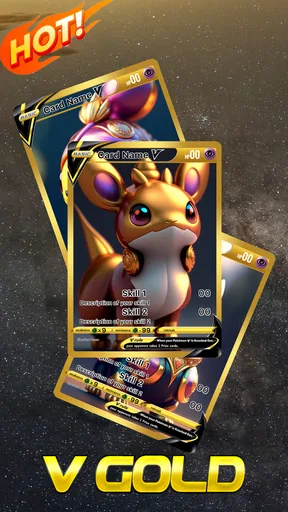
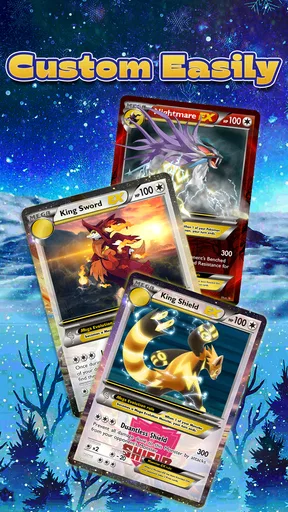
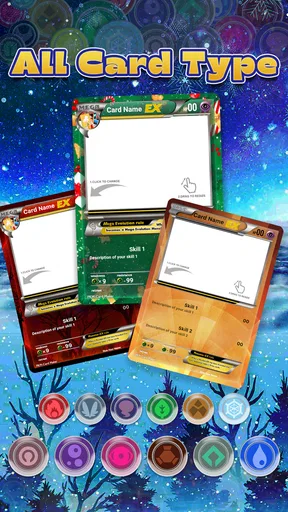
This app really shines when it comes to customization options. You can pick from a wide variety of templates that mimic the classic Pokémon card designs we all know and love. From selecting the type of card—like Basic, Stage 1, or Stage 2—to personalizing every detail, this app has you covered. You can even add your own images, which means you can finally put your pet or even a selfie on a Pokémon card. How cool is that?
Details Matter
One of the features I appreciated the most is the ability to tweak the finer details. You can adjust the card’s HP, attack points, and even the background story of your Pokémon. The app provides a range of fonts and colors, so you can really make your card stand out. And let’s not forget about the energy symbols and rarity icons—they’re all there to give your card a professional touch.
Sharing and Printing
Once you’ve created your masterpiece, the app makes it super easy to share your cards with friends or even print them out. A handy feature is that you can export your creations in high-quality formats, which is perfect if you’re planning to print them. Whether you want to keep a digital collection or have a physical one, the app caters to both.
Community and Support
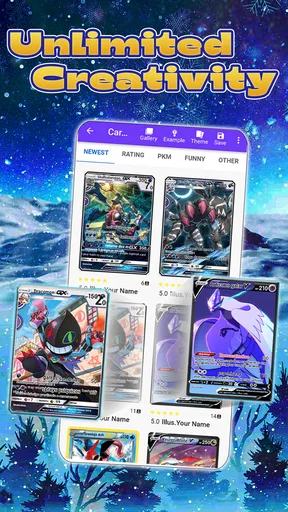
Another thing I loved about the app is its community aspect. There’s a built-in platform where you can share your creations with other users and get inspired by what they’re doing. Plus, if you ever run into any issues, the app’s support is just a click away. The developers are pretty responsive, which is always a plus in my book.
Room for Improvement
Now, no app is perfect, and this one is no exception. While the app offers a lot of features, I did notice that it occasionally lags when you’re working on high-resolution images. Also, adding more templates from newer Pokémon generations would be a fantastic upgrade. But these are minor gripes in what is otherwise a stellar app.
All in all, Card Maker for PKM (Poke Fan) is a fantastic tool for anyone looking to bring their Pokémon card fantasies to life. Whether you’re a veteran fan or a newbie, this app provides endless possibilities for creativity. It’s not just an app; it’s an experience that allows you to dive into the Pokémon world in a unique way.
If you want to try it out for yourself, you can download it from the app store and start creating your own legendary cards today. Get ready to unleash your inner Pokémon trainer and have some serious fun!
Verdict
Strengths of Card Maker for PKM (Poke Fan)
- User-friendly interface for easy card design.
- Extensive template library for quick creation.
- High-quality export options available.
- Customizable elements for personal touch.
- Regular updates with new features.
Limitations of Card Maker for PKM (Poke Fan)
- Limited free features without premium upgrade.
- Occasional ads can disrupt workflow.
- Requires internet for template access.
- Some features may be complex for beginners.
- Lacks direct social media sharing options.
Other Releases by JoyCraft Digital
View All
Texture Maker for Minecraft PE
Art & Design4.2
Similar Picks in This Category
View All
WEBTOON: Manga, Comics, Manhwa
NAVER WEBTOON4.6

MangaToon: Comic & Manga
MangaToon4.3

네이버 웹툰 - Naver Webtoon
NAVER WEBTOON4.3

Tapas – Comics and Novels
Tapas Entertainment Inc.4.2

Lezhin Comics - Daily Releases
LEZHIN ENTERTAINMENT3.3

WebComics - Webtoon & Manga
WEBCOMICS HOLDINGS HK LIMITED4.4
Frequently Asked Questions
What features does the Card Maker for PKM offer?
The Card Maker for PKM offers a wide range of features including customizable templates, a vast library of images and icons, and text editing options to create personalized cards. Users can adjust colors, fonts, and even add special effects to make their cards unique. The app also supports exporting high-resolution images for sharing.
Is the Card Maker for PKM free to use, or are there in-app purchases?
The Card Maker for PKM is free to download and use, but it includes in-app purchases. These purchases unlock premium features such as additional templates, exclusive design elements, and ad-free usage. While the free version is feature-rich, the premium options provide extra customization for enthusiasts.
How user-friendly is the app for beginners?
The app is designed with user-friendliness in mind, featuring an intuitive interface that guides beginners through the card creation process. With easy-to-follow instructions and a drag-and-drop system, users can quickly design cards even without prior experience. Tutorials and tips are also available to enhance the learning curve.
Can I share my created cards on social media platforms?
Yes, the Card Maker for PKM allows you to share your creations directly on various social media platforms. After designing a card, you can export it and share it seamlessly on platforms like Facebook, Instagram, and Twitter, making it easy to showcase your creativity to friends and followers.
What devices and operating systems are compatible with the Card Maker for PKM?
The Card Maker for PKM is compatible with both Android and iOS devices. It requires a minimum operating system version of Android 5.0 or iOS 10.0 to function optimally. The app is optimized for both smartphones and tablets, offering a consistent and responsive experience across different devices.
